
HR Managers
Owning the function, deciding what AI is allowed to touch
AI WORKSHOP FOR HUMAN RESOURCES · ORTIGAS
Four hands-on hours for Philippine HR professionals. Not a webinar.
Walk out with prompts, playbooks and a community that keeps you sharp. Five HR functions worked through live, on your own documents — recruitment, business partnering, discipline, comp and ben, and L&D. No coding. Bring a laptop.
Save me a seat
₱5,000 per person. Nothing to pay on this page — this just holds your place while we talk.
How to pay
Amount due: ₱5,000 for 1 seat
Option 1 — Bank transfer
Option 2 — GCash
Scan with your GCash app.
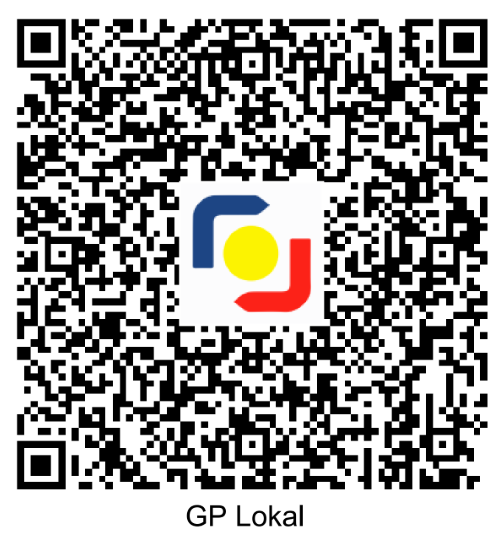
You asked us to bill your company, so we’ll email your invoice — we may need your TIN and billing address to issue the official receipt. Wait for that if your company pays it; the details above are here if you’d rather settle it yourself and claim it back.
Then send your proof of payment to [email protected] and we’ll confirm your seat within 24 hours. These details are also on this page, here.
Sending this doesn’t sign you up for anything. We’ll only email you about this workshop, and we never pass your details on. Privacy policy.
Rather talk first? Call +63 917 529 5464 · Mon–Fri 7am–6pm PHT
5,000+ people trained since 2022
500+ this year alone
98% would do it again
65 corporate clients since 2017
Claude Partner Network · CCA-F · OpenAI Champions & Partner Networks · Prosci
Teams we’ve trained





The gap
78 of 100 HR professionals already use AI at work. Only 35 were trained properly.
Source: Sprout, State of HR 2026
What you’ll learn
Not five lectures. You bring the job ad, the case memo, the competency framework you are actually working on, and you leave with them done.
Draft job ads, screen CVs against real criteria and prepare structured interview guides in minutes.
Turn engagement data, attrition numbers and manager conversations into briefings a business unit head will act on.
Prepare notices, incident summaries and case documentation that hold up to review, with a human always signing off.
Compare market data, model salary bands and explain a benefits change in language employees understand.
Build learning paths, session outlines and assessments from your own competency framework.
The tools
Taught on Claude — every prompt and workflow also works in ChatGPT, Gemini and Copilot. No paid subscription required; bring your company login if you have one.

Claude
Taught on

ChatGPT
Also works in
Gemini
Also works in

Microsoft 365 Copilot
Also works in
What’s included
Run of the day — indicative
| Time | Block |
|---|---|
| 1:00 pm | Arrival, set-up, and what AI is actually good at in HR |
| 1:45 pm | Function deep-dives, worked on your own documents |
| 3:00 pm | Break |
| 3:15 pm | Build your own prompt book |
| 4:30 pm | Questions, governance and what to do next week |
Who it’s for
No coding, no prior AI experience, no technical background assumed. If you can write an email, you can do everything in this room.
Owning the function, deciding what AI is allowed to touch
Turning people data into something a business head will act on
High-volume sourcing, screening and interview prep
Market comparisons, banding, and explaining changes clearly
Programme design, materials and assessment
Come if
Skip this one if
What it costs
₱5,000
per person · ₱1,250 an hour
Covers
The room for four hours, your AI for HR workbook, the HR prompt books, and everything after Friday: the alumni community and the ongoing support group.
For context: a self-paced online course runs ₱0–5,000, and you do it alone — if you finish it at all. Live instructor-led programmes start around ₱30,000. This sits at the top of what a self-paced course costs, except there is a trainer in the room with you and you work on your own documents.
Reserve my seatAlready reserved a seat? Payment details are here →
PAYMENT
Bank transfer or GCash — whichever is easier. Send us proof of payment and we’ll confirm your seat within 24 hours.
Your instructor
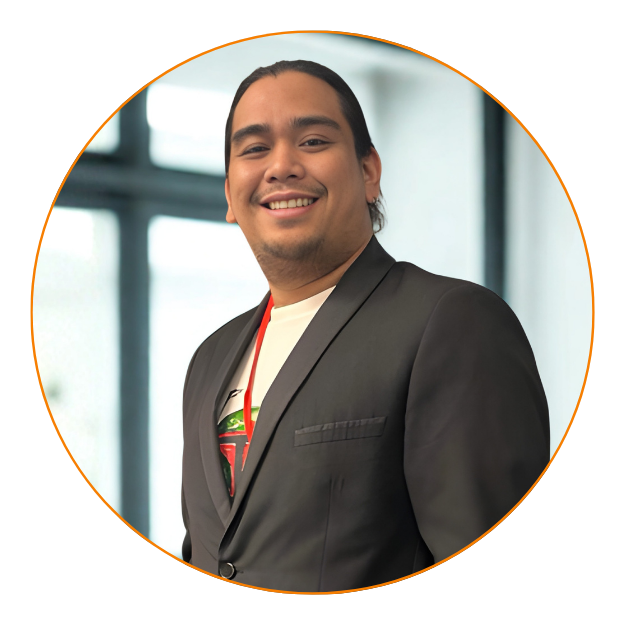
Marketing Director · Your trainer
20+ years in sales, marketing, and training — the last three running AI workflows across APAC. Has personally led 20+ LOKAL sessions in the Philippines, for hotels, retail brands, and enterprise teams. Builds the same tools he teaches.
Learn with CJQuestions
Bank transfer or GCash. Reserve your seat on this page and the details appear straight away — account number, GCash QR and the amount for the number of seats you booked. They are also further down this page, under "How to pay". Send us proof of payment and we will confirm your seat within 24 hours.
Yes. Answer “bill my company” on the form and we will ask for your company details, TIN and billing address by email. The official receipt is issued on or before the workshop date.
Send someone else from your team in your place — just email us the new name before the workshop, and the certificate will be made out to whoever attends. Your seat isn’t wasted.
A laptop and charger, and two or three real pieces of your own work — a job ad, a case memo, a competency framework, a training outline. You work on those, not on made-up examples.
No. Everything in the session runs on free tiers. If your company already pays for a plan, bring your login and we will work in that.
No. No coding, no prior AI experience and no technical background is assumed. If you can write an email, you can do everything in this room.
Up to 10 on one registration. If you need more than that, call us and we will arrange it — that is usually a private session for your team rather than seats at this one.
Friday 4 September, running four hours. The exact start time is being confirmed with the venue and will be in your confirmation email; the schedule on this page is indicative until then.